Galaxy simulator apps (2026): every platform
The galaxy simulator apps worth trying in 2026 on PC and Mac, in a web browser, on Android, on iPhone and iPad, and on Apple Vision Pro. Which ones really simulate galaxies with gravity and which show you a model or a map of them, what each costs, each described from its own store page or website, by the maker of one of them.
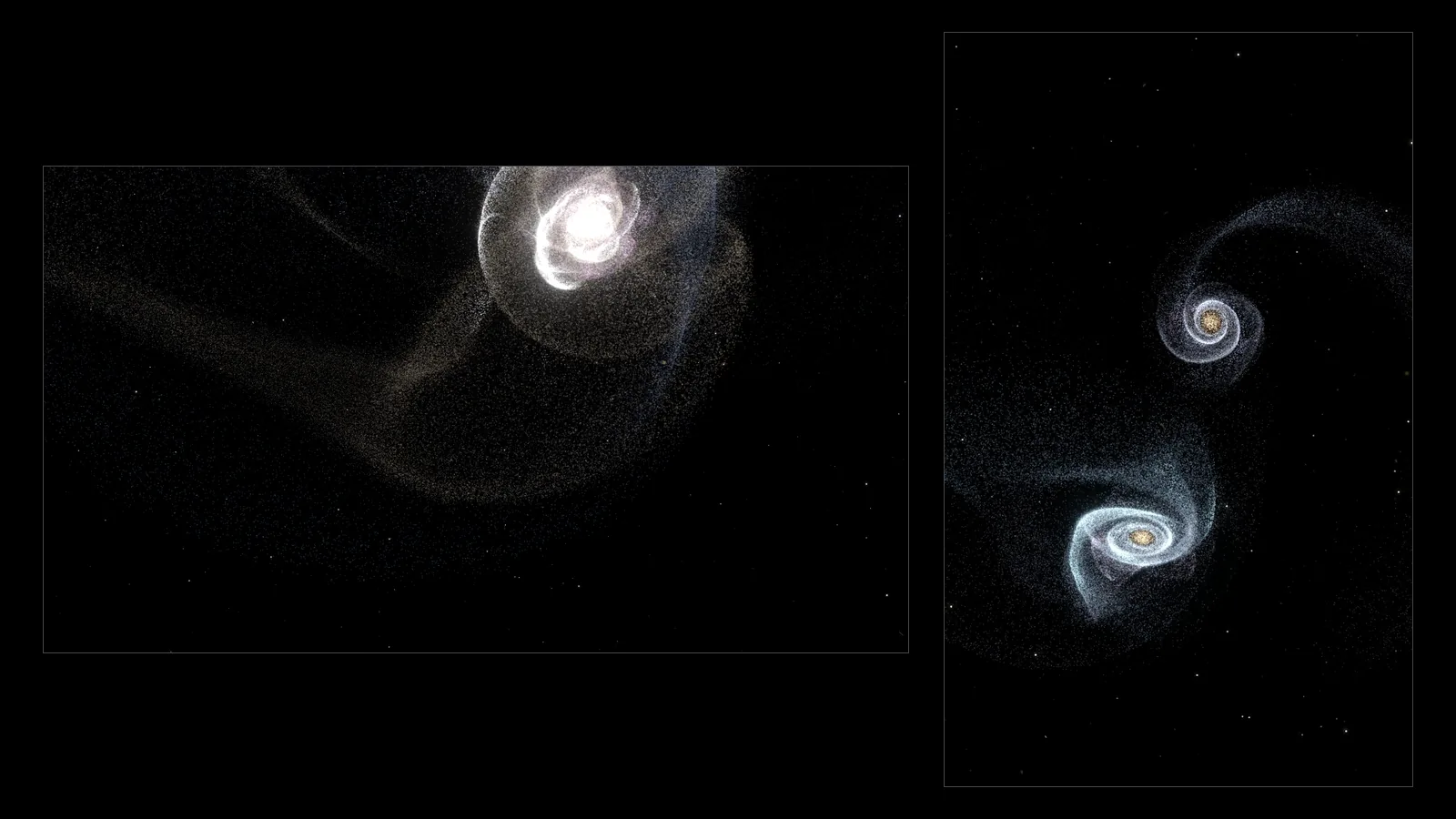
The best galaxy simulator depends on your device: Universe Sandbox or SpaceEngine on PC (both $29.99 on Steam), Gaia Sky and Celestia for free real-data universes, the free Everdust galaxy collision simulator in a web browser, Milky Way: Cosmic Playground on Android, iPhone and iPad, and Everdust or Celestia XR on Apple Vision Pro.
I make Everdust, one of the apps below, so read this with that in mind. I've described every other program by what its own store page, Steam page or website says it does and costs, and I say plainly where another one is the better pick. Prices are US prices. Every store page and website below was checked on October 27, 2026; they change, so check before you buy.
The short answer
- PC or Mac, the deepest sandbox: Universe Sandbox ($29.99 on Steam). You build systems, change gravity and smash things together.
- Mac, free, ready-made galaxy collisions: Everdust for Mac, a free download from everdust.ai.
- PC, the whole universe at real scale: SpaceEngine ($29.99 on Steam, Windows). Fly to any galaxy, star or planet.
- Real galaxy and star data, free: Gaia Sky on Windows, macOS and Linux. Celestia on almost everything.
- In a web browser, no install: the Everdust galaxy collision simulator.
- Android: Milky Way: Cosmic Playground for galaxy mergers inside a full gravity sandbox, Particle Physics Simulator for raw N-body gravity, and Everdust for ready-made galaxy collisions and black holes.
- iPhone and iPad: Milky Way: Cosmic Playground, and Celestia for a free 3D universe.
- Apple Vision Pro: Everdust, to stand inside a galaxy collision. Celestia XR, to roam a 3D universe for free.
Simulation or map? What "galaxy simulator" means
Apps sold as galaxy simulators do one of two different things.
- They simulate. Stars are particles pulled by gravity, so a galaxy moves and two galaxies can collide, swap stars and throw out tidal tails. Universe Sandbox, Milky Way: Cosmic Playground, Particle Physics Simulator and Everdust work this way, at very different scales and depths. Here's how galaxy simulations work.
- They show. The galaxies are 3D models or catalog data that you fly through, but nothing pulls on anything at galaxy scale. SpaceEngine, Gaia Sky and Celestia are superb at this. They're closer to a planetarium you can leave.
Neither is better. Pick by whether you want to watch gravity work or go and look.
At a glance
| App | Where it runs | Simulates or shows | Price |
|---|---|---|---|
| Universe Sandbox | Windows, macOS (Steam) | Simulates | $29.99 |
| SpaceEngine | Windows (Steam), PC VR | Shows | $29.99 |
| Gaia Sky | Windows, macOS, Linux, OpenXR VR | Shows real data | Free, open source |
| Celestia | Windows, macOS, Linux; Android; iPhone, iPad and Mac App Store; Vision Pro (Celestia XR) | Shows | Free; optional extras in the mobile apps |
| Milky Way: Cosmic Playground | Android, iPhone, iPad | Simulates | Free, with in-app purchases |
| Particle Physics Simulator | Android | Simulates | Free |
| Everdust | iPhone, iPad, Apple Vision Pro, Android, web browser | Simulates | Free; optional Everdust Plus in the apps |
On PC and Mac
Universe Sandbox
Universe Sandbox by Giant Army is the best-known space sandbox. Its Steam page describes a "realistic physics-based space simulator" where you collide planets, boil away oceans and "bend the laws of gravity", with procedurally generated planets, stars and galaxies and light-warping black holes. It costs $29.99 on Steam for Windows and macOS. Its own FAQ also lists Linux/SteamOS and PC VR headsets, says VR development is paused, and says a mobile version for phones and tablets is in the works with no release date.
Pick it if you have a capable computer and want to build anything and break it.
SpaceEngine
SpaceEngine by Cosmographic Software calls itself a "1:1 scale science-based Universe simulator". Known galaxies, stars and planets come from catalogs, and uncharted space is filled in procedurally, so you can fly seamlessly from a planet's surface to a black hole in a galaxy billions of light-years away. It runs on Windows, supports VR headsets and costs $29.99 on Steam.
Pick it if you want to explore galaxies at their true scale, more than you want to collide them.
Gaia Sky
Gaia Sky is a free, open-source "real-time, 3D, astronomy visualisation platform for desktop and VR" from the Gaia group at the Astronomisches Rechen-Institut, Heidelberg University, developed within ESA's Gaia mission. It runs on Windows, macOS and Linux, with OpenXR headsets for VR, and loads real catalogs such as the Gaia star catalogs and SDSS galaxies.
Pick it if you want the real Milky Way as astronomers have measured it.
Celestia
Celestia is "a real-time space simulation that lets you experience our universe in three dimensions", free software under the GNU GPL. You can visit planets, moons, star clusters and galaxies from any point in space and time. There are versions for nearly every device: see the Android, iPhone and Vision Pro sections below.
Pick it if you want a free 3D universe that follows you from desktop to phone.
Everdust for Mac
Everdust for Mac, which I make, is a free download (Apple silicon, macOS 14 or later) with live worlds such as colliding galaxies and a black hole bending its own light, which can also move with the music your Mac is playing. It's a set of ready-made simulations, not a sandbox, so for building your own systems Universe Sandbox is the pick.
In a web browser
Everdust's galaxy collision simulator
The galaxy collision simulator on this site runs free in your browser on WebGL 2, with no install, no account and no ads. Two disk galaxies pass, pull out tidal tails and merge. It follows the method Alar and Juri Toomre used in 1972 to explain the tails of real pairs like the Antennae: each star is pulled by both galaxy cores, not by the other stars. On a slower device it uses fewer stars to keep the motion smooth.
Pick it if you want to see a galaxy collision in the next thirty seconds. The same site also has a free photo to particles tool that turns a picture into a field of glowing particles you can stir.
Other free browser options
- 100,000 Stars, a Chrome Experiment, is a 3D map of the stars near the Sun, colored by temperature. It's a visualization, not a simulation.
- galaxy-sim is an open-source WebGL N-body simulation from a UC Berkeley computer graphics project, with gas clouds coalescing into stars around a disk galaxy's central black hole. It's a student project, so expect it to be rough on phones.
On Android
Milky Way: Cosmic Playground
Milky Way: Cosmic Playground (listed on Google Play as "Milky Way") says every star, planet and moon obeys Newtonian gravity and that collisions use smoothed particle hydrodynamics (SPH). Its listing describes merging entire galaxies in 3D, including staging the Milky Way and Andromeda collision, along with planet collisions, black holes and building solar systems. It's free with in-app purchases, and the Google Play listing doesn't show ads. It's also on the App Store for iPhone and iPad.
Pick it if you want galaxy mergers inside a full gravity sandbox.
Particle Physics Simulator
Particle Physics Simulator by Toni Sagristà Sellés is an N-body sandbox: every particle pulls on every other, and you set gravity strength, particle count, masses, friction and whether collisions bounce or merge. It's free, and the listing doesn't show ads or in-app purchases. It was last updated in October 2025.
Pick it if you want to experiment with gravity itself and watch clusters form.
Celestia on Android
Celestia, listed under Linfeng Li, brings the desktop program to Android: travel to galaxies and star clusters from any point in space and time. It's free with in-app purchases, and the listing doesn't show ads.
Everdust on Android
Everdust is the one I make. Its galaxy collision runs up to about a million stars, live on the phone, alongside a binary black hole merger and a black hole that bends the light behind it. There are physics games too, such as Black Hole Golf and Lightfold. It's free to download, with no ads and no account; Everdust Plus, an optional in-app purchase, unlocks the rest of the stories and game levels, and The Story of Everything is free in full. It needs Android 10 or later and a phone or tablet with Vulkan 1.1 graphics.
Pick it if you want ready-made galaxy collisions and black holes to turn and touch, with nothing to build.
For more Android options, including Pocket Galaxy and Galaxy Space Simulator 3D, which are solar-system sandboxes despite their names, see galaxy and black hole simulator apps for Android.
On iPhone and iPad
- Milky Way: Cosmic Playground is the same galaxy-merging gravity sandbox as on Android. Free, with optional subscriptions and a remove-ads purchase.
- Celestia - Space Simulator is free on iPhone, iPad and Mac, with an optional Celestia PLUS subscription.
- Galaxy Merge: Space Sandbox by Adam Drummond is a calm touch sandbox: fling planets, stars and comets together and they merge up a "cosmic mass ladder" to neutron stars and black holes. It's free; its listing says a couple of extreme objects unlock by watching an optional ad. Despite the name, it works with stars and planets, not whole galaxies.
- Pocket Galaxy builds solar systems under real gravity, with a free version with ads and a paid version.
Universe Sandbox isn't on iPhone or iPad yet. Everdust is on the App Store for iPhone and iPad, free, with a galaxy collision of up to about a million stars.
On Apple Vision Pro
Everdust
Everdust puts the galaxy collision in your room: up to about a million stars pulled by gravity, live, that you can walk around, reach into and stir with your hands, or step inside in full immersion. It also has a spinning black hole that bends light, and hand-tracked games built on the same physics, including Black Hole Golf, Galaxy Billiards and Lightfold. It's free to download, with no ads and no account; Everdust Plus is an optional in-app purchase, and The Story of Everything is free in full. Since version 1.1, its Night Sky also lets you look at a real galaxy in the sky, such as Andromeda or the Magellanic Clouds, and pinch to fly there.
Pick it if you want to stand inside a galaxy merger.
Celestia XR
Celestia XR, listed under Linfeng Li, is Celestia built for Vision Pro: visit any object in its database, from planets to galaxies, from any point in space and time. Free, with no in-app purchases.
Pick it if you want to fly between galaxies in a headset, for free.
Also on Vision Pro
AstrotouR ($3.99) includes the Milky Way and its central black hole in a calm, curated observatory, though it's a tour, not a simulation. See the best Vision Pro apps for space and astronomy for the full field, and SpaceEngine vs Celestia vs Everdust for SpaceEngine's alternatives on Mac, mobile and Vision Pro side by side.
How to choose
- To build and destroy on a computer: Universe Sandbox.
- To explore every galaxy at real scale: SpaceEngine, or Gaia Sky for measured data.
- For a free 3D universe on any device: Celestia.
- To merge galaxies on your phone: Milky Way: Cosmic Playground, or Everdust on Android if you'd rather play with ready-made worlds.
- To see a collision right now: the browser galaxy collision.
- To stand inside one: Everdust on Apple Vision Pro.
Questions people ask
What is the best galaxy simulator app? It depends on the device. On PC and Mac, Universe Sandbox is the deepest sandbox and SpaceEngine the most complete model of the universe. On Android and iPhone, Milky Way: Cosmic Playground merges galaxies inside a gravity sandbox. On Apple Vision Pro, Everdust runs a galaxy collision of up to about a million stars that you can reach into. Celestia is free nearly everywhere.
Is there a free galaxy simulator? Yes. Gaia Sky and Celestia are free on desktop, and Celestia is free on Android and iPhone too. Particle Physics Simulator is free on Android. Everdust is free on iPhone, iPad, Android and Apple Vision Pro, and its galaxy collision simulator runs free in a web browser.
Can you simulate the Milky Way and Andromeda collision? Yes. Milky Way: Cosmic Playground describes staging it on Android and iPhone, and Universe Sandbox can collide galaxies on PC and Mac. Everdust's galaxy collision shows the same physics with two disk galaxies; for what's known about our own galaxy's future, see the Milky Way and Andromeda collision.
Is Universe Sandbox on Android, iPhone or Vision Pro? No. Its FAQ says a mobile version for phones and tablets is in the works with no release date yet. See Universe Sandbox alternatives on Android and Vision Pro.
Do galaxy simulators use real physics? The simulators do. They move stars with Newton's law of gravity, usually with shortcuts, such as having stars feel only the galaxy cores, or tree codes that group distant stars, so they run in real time. Map-style apps such as SpaceEngine and Gaia Sky place galaxies from catalogs or procedural rules instead of moving them by gravity.
Sources
- Universe Sandbox: Steam page and FAQ, checked October 27, 2026
- SpaceEngine: Steam page, checked October 27, 2026
- Gaia Sky: gaiasky.space, checked October 27, 2026
- Celestia: GitHub, Google Play, App Store, Celestia XR
- Each app's own Google Play or App Store listing, linked in its section, checked October 27, 2026
- Toomre, A. and Toomre, J. (1972), "Galactic Bridges and Tails", The Astrophysical Journal 178, 623