The best Vision Pro apps for space and astronomy (2026)
Twelve Apple Vision Pro apps for space and astronomy, from star maps and planetariums to a NASA-data solar system, a space museum, Mars with Perseverance and live physics simulations. What each does and what it costs, each described from its own App Store listing, by the maker of one of them.
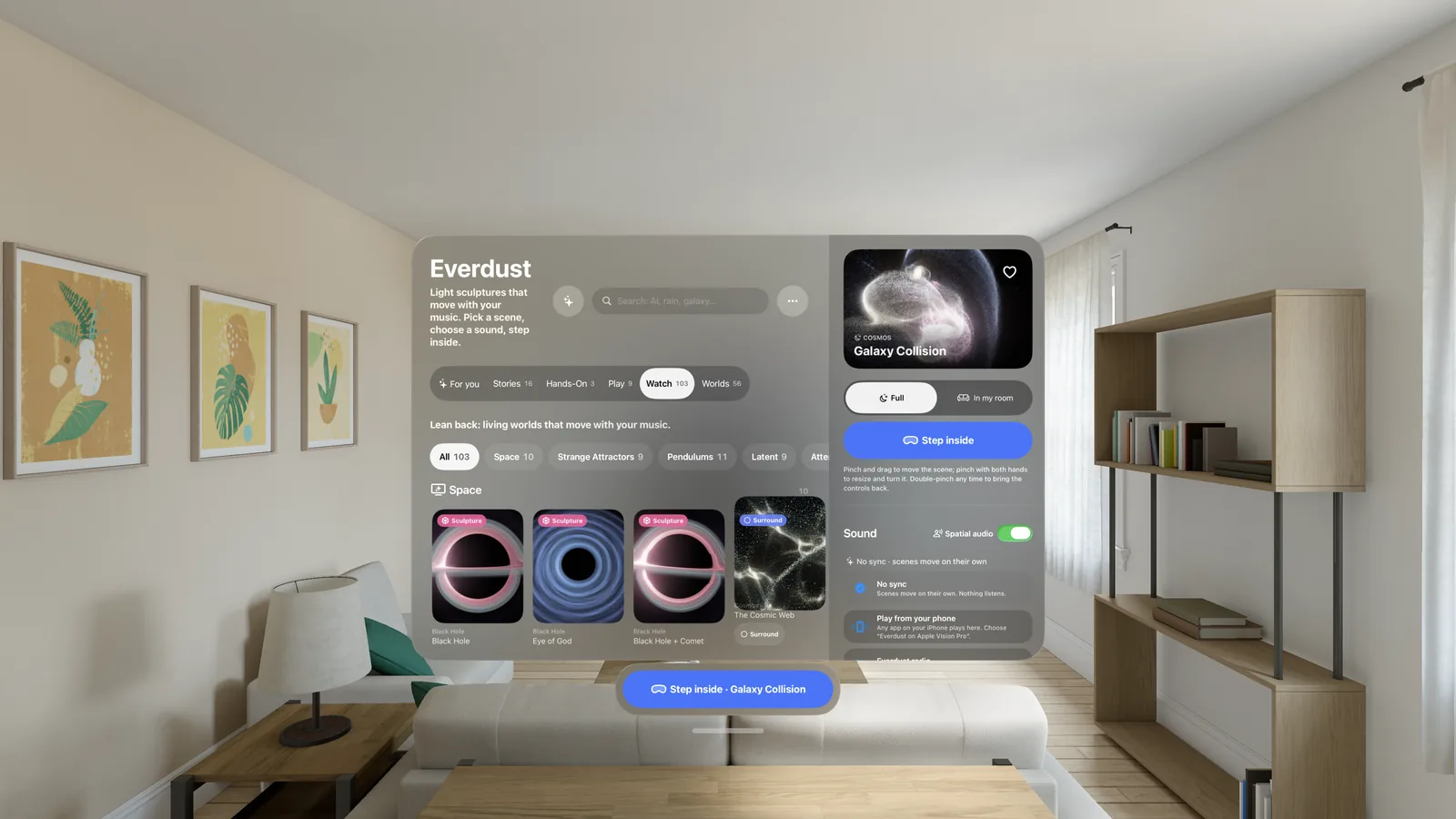
The best space and astronomy apps for Apple Vision Pro fall into five kinds: star maps that name what's in your sky (Sky Guide, and Night Sky by iCandi Apps), planetariums you float inside (Caelum, Orbis Caeli XR), solar-system tours built on real data (Space Vision, AstrotouR, Celestia XR), museums of real images and spacecraft (Astronoma, Exploring Mars) and simulations you can put your hands in (Everdust, whose Night Sky also flies you from the real sky into nebulae and galaxies).
I make Everdust, one of the apps below, so read this with that in mind. I've described every app from what its own App Store listing says it does, and I say plainly where another app is the better pick. Prices and details were checked on the US App Store on October 26, 2026, and they change, so check the listing before you buy.
The short answer
- Name the stars and planets in tonight's sky: Sky Guide or Night Sky (iCandi Apps).
- Sit inside a planetarium of the real sky: Caelum or Orbis Caeli XR.
- Tour the solar system with real NASA orbits and spacecraft: Space Vision.
- A calm, beautiful observatory of the Sun, planets, Milky Way and its black hole: AstrotouR.
- Fly anywhere in a free 3D model of the universe: Celestia XR.
- A space museum of telescope images, spacecraft models and history: Astronoma.
- Stand next to the Perseverance rover on Mars: Exploring Mars, from NASA's Jet Propulsion Laboratory.
- Watch the Earth and the International Space Station live in your room: StratoSync.
- Put your hands in a galaxy collision or a black hole, and play physics games: Everdust.
- Fly from the real night sky into a nebula or a galaxy, built from real telescope photographs: Everdust's Night Sky.
At a glance
| App | Best for | Price on the App Store | Developer |
|---|---|---|---|
| Sky Guide | Identifying the real sky | Free; Plus and Pro subscriptions | Fifth Star Labs |
| Night Sky (iCandi Apps) | Identifying the sky, AI tours | Free; Night Sky+ and Aura subscriptions | iCandi Apps |
| Caelum: Spatial Planetarium | A planetarium around you | Free; Pro+ $9.99 | Momentarium |
| Orbis Caeli XR | Studying the sky's motions | Free | Jean Charles Korta |
| Space Vision | NASA-data solar system, missions | Free; SV+ $9.99 a month or $99.99 a year | Visionly |
| AstrotouR | A curated observatory | $3.99, no in-app purchases | The Highland Cow |
| Celestia XR | Free-roaming 3D universe | Free | Linfeng Li |
| Planetaria | Live solar-system scale model | $4.99 | Joseph Rupertus |
| Astronoma | Space museum | Free; exhibitions $3.99 to $5.99 | Miguel Garcia Gonzalez |
| Exploring Mars | Perseverance on Mars | Free | Jet Propulsion Laboratory |
| StratoSync | Earth and the live ISS | Free | durul dalkanat |
| Everdust | Live physics simulations, games, flying into the real sky | Free | Decosa, Inc. (my company) |
Star maps and planetariums
Sky Guide
Sky Guide by Fifth Star Labs identifies any star, constellation, planet or satellite. Its listing describes an AR mode that lays figures over your real sky, alerts when the International Space Station is about to pass over, time controls for seeing where the Moon will be later, and an events calendar for eclipses and meteor showers. It works without Wi-Fi or GPS, and it's also on iPhone, iPad and Apple Watch. Free, with Plus and Pro subscriptions.
Pick it if you want to learn the real sky above you, on every Apple device you own.
Night Sky
Night Sky by iCandi Apps calls itself "a powerful AI personal planetarium" for identifying stars, planets, constellations and satellites. Its listing describes Sky Tags you pin to objects, SharePlay stargazing, and Night Sky Aura, an AI astronomer you can ask questions (an Aura subscription). It's also on iPhone, iPad, Mac, Apple Watch and Apple TV. (It isn't related to Everdust's Night Sky, a feature inside Everdust, further down.)
Pick it if you want sky identification with guided tours and an assistant you can ask.
Caelum: Spatial Planetarium
Caelum by Momentarium is built only for Vision Pro. Its listing describes thousands of stars, the constellations and the Milky Way placed around you, aligned to your location, with a time slider for days, months or years, deep-sky objects such as the Andromeda Galaxy and the Orion Nebula, and an ambient soundscape. You can keep your room around you or turn the Digital Crown for full immersion. Free, with a Pro+ upgrade for $9.99.
Pick it if you want to sit inside the real night sky and scrub through time.
Orbis Caeli XR
Orbis Caeli XR by Jean Charles Korta is "an immersive visual atlas of astronomy" for Vision Pro. Its listing describes a celestial sphere you look around from inside, with time and location controls, overlays for constellation boundaries, the equatorial grid, the meridian and the ecliptic, and events such as rising, transit and setting, solstices, equinoxes and lunar phases. Free.
Pick it if you want to understand why the sky moves the way it does, with the reference lines astronomers use.
The solar system and beyond
Space Vision
Space Vision by Visionly is built only for Vision Pro. Its listing describes a solar system driven by NASA JPL ephemeris data with 40+ planets, dwarf planets and moons, travel a century forward or back in time, a guide called Soluna, and Space Missions that fly alongside real spacecraft. Voyager 1 is free; the Voyager 2 and New Horizons missions need its SV+ subscription ($9.99 a month or $99.99 a year).
Pick it if you want an accurate, data-driven tour of the planets and real missions.
AstrotouR
AstrotouR: AR Astronomy by The Highland Cow is "an immersive observatory for Apple Vision Pro". Its listing describes the Sun, the planets and their major moons with internal structures and surface features, the Milky Way and its central black hole, Sagittarius A*, Mars and lunar vehicles in their real surroundings, more than 300 articles and more than 600 mission photos. It costs $3.99 once, covers both iPhone and Vision Pro, has no in-app purchases and, per the listing, collects no data.
Pick it if you want a calm, polished tour of the real Solar System and galaxy, with lots to read.
Celestia XR
Celestia XR, listed under Linfeng Li, brings Celestia, the long-running free 3D space simulator, to Vision Pro. Its listing describes visiting any object in its database, from planets and moons to star clusters and galaxies, from any point in space and time, with solar-system positions calculated in real time, a planetarium view from any world, and add-ons for more objects and textures. Free.
Pick it if you want to fly anywhere you like, at any time, for free.
Planetaria
Planetaria: Space Simulator by Joseph Rupertus is a dynamic scale model of the Solar System for iPhone, iPad and Vision Pro. Its listing describes live positions of the Sun, 8 planets, 5 dwarf planets and over 20 major moons, with time controls and NASA/JPL models. It costs $4.99. The listing was last updated in February 2025.
Pick it if you want a simple, live scale model of the planets.
Museums, missions and Earth
Astronoma
Astronoma, listed under Miguel Garcia Gonzalez, is a space museum for Vision Pro. Its listing describes high-resolution images from NASA, ESA and others with audio commentary, 3D models of spacecraft, planets, asteroids and comets you can turn by hand, stories of astronomers and astronauts, telescope footage and 8K 360° simulations, and a 3D map of launch sites. Free, with exhibitions such as Spacewalks and Hubble Volume I sold separately ($3.99 to $5.99).
Pick it if you want real images and real hardware, and the history behind them.
Exploring Mars
Exploring Mars is from NASA's Jet Propulsion Laboratory. Its listing describes bringing the Perseverance rover into your room at any size up to actual size, with photos and specifications of its parts, then "Take me to Mars" to stand beside it in Jezero Crater, a reconstruction from the rover's own images, with sound recorded on Mars. Free.
Pick it if you want to stand on Mars, as faithfully as NASA can build it.
StratoSync
StratoSync by durul dalkanat puts the Earth and the International Space Station in your room. Its listing describes the Earth lit by the Sun's current position, the ISS's live latitude, longitude, altitude and speed, and three generated immersive environments: Aurora, Star Nest and Dusty Nebula. Free.
Pick it if you want to watch the space station go round the real Earth, right now.
Simulations you can touch
Everdust
Everdust is the one I make. It's a simulator first: every world is a live particle simulation, not a video, and your hands move it. Since version 1.1 it also has Everdust's Night Sky, the real sky with flights to the planets and deep-sky wonders, and Solar System to Scale.
- Everdust's Night Sky: the real night sky all around you, for your place and time, from home or from the darkest places on Earth. Look at a planet, the Sun or a deep-sky wonder and pinch to fly there; the wonders are real photographs from Webb, Hubble, ESO and other observatories, given depth so you can fly into them. Every one has a page in the Everdust Atlas.
- Solar System to Scale: choose how big the Sun is and walk out to Neptune with every size and distance true, or set planets and stars side by side.
- Galaxy Collision: two galaxies merge, with up to about a million stars pulled by gravity. Watch it on your table or step inside it.
- Black holes that bend light, including a spinning one you can walk up to.
- Hand-tracked games built on the same physics: Black Hole Golf, Galaxy Billiards, Lightfold and more.
- Narrated science stories, from the first light after the Big Bang onward, where every chapter is a live world you stand in. All of The Story of Everything is free.
- Music: the worlds move with your own songs, free Mixes or the room. The sound is analyzed on the headset and never recorded or sent.
It's free to download, with no ads and no account. Night Sky, every wonder and all of The Story of Everything are free, and so are Fireworks, Galaxy Billiards, Black Hole Golf, Lightfold and Orb Popper; Everdust Plus, an optional in-app purchase, unlocks the rest of the other Stories and games. Everdust is also on Google Play for Android, and you can try a few worlds in your browser at everdust.ai/play, such as the galaxy collision simulator.
Pick it if you want to see how galaxy mergers and black holes work, and play with them, or to fly into the nebulae you can see in the sky. To name every star and satellite overhead, a star map such as Sky Guide goes deeper.
How to choose
Ask what you want to come away with:
- To find Saturn tonight, use a star map: Sky Guide or iCandi's Night Sky.
- To sit under the real sky and watch it turn, use Caelum or Orbis Caeli XR.
- To know where the planets really are and follow real spacecraft, use Space Vision.
- To read and look your way through the Solar System and galaxy, use AstrotouR.
- To go anywhere for free, use Celestia XR.
- To see real photos, real hardware and real Mars, use Astronoma and Exploring Mars.
- To build intuition for gravity and light by touching them, or to fly from tonight's sky into a nebula, use Everdust.
Most are free to start, so the honest advice is to install two and see which one you keep opening. For the night sky apps side by side in one table, see Sky Guide vs Night Sky vs Caelum vs Everdust on Apple Vision Pro. For more on how simulators differ, see Galaxy and black hole simulators: an honest guide. If you only want the free ones, see free astronomy apps for Apple Vision Pro; for games, space games for Vision Pro and Android; and for music, music visualizer apps for Vision Pro.
For what's actually up tonight where you are, what's in my sky tonight works it out in your browser, and the sky guide has a page for each planet and bright deep-sky object, from Saturn to the Orion Nebula.
Questions people ask
What is the best free astronomy app for Apple Vision Pro? For naming the real sky, Sky Guide and iCandi's Night Sky are free to download, with paid tiers. Fully free options are Orbis Caeli XR (an immersive sky atlas), Celestia XR (a free-roaming 3D universe), Exploring Mars from NASA's JPL and StratoSync (Earth and the live ISS). Everdust is free too: live physics simulations, plus Everdust's Night Sky (the real sky around you, with flights into nebulae and galaxies) and Solar System to Scale.
Is there a planetarium app for Vision Pro? Yes. Caelum: Spatial Planetarium and Orbis Caeli XR both surround you with the real sky for your location, with time controls. Sky Guide and iCandi's Night Sky also run on Vision Pro as star maps. Everdust's Night Sky puts the real sky for your place and time around you too, and lets you fly to the planets and into deep-sky wonders.
Is there a Universe Sandbox for Vision Pro? Universe Sandbox isn't on the App Store as of this writing; it's sold on Steam for Windows and Mac. On Vision Pro, Celestia XR lets you roam a model of the universe, and Everdust runs live gravity simulations such as galaxy collisions and black holes, though you play with ready-made worlds rather than build solar systems from scratch. More in Universe Sandbox vs Everdust.
Can you see a black hole on Apple Vision Pro? Yes, in a few ways. AstrotouR includes Sagittarius A*, the black hole at the center of the Milky Way. Astronoma shows black hole imagery and an 8K 360° simulation. Everdust renders a spinning black hole that bends the light behind it live, and has a black hole golf game.
Which Vision Pro space apps work without a subscription? Orbis Caeli XR, Celestia XR, Exploring Mars and StratoSync are free with nothing to buy. Everdust is free to download, with an optional Everdust Plus purchase; its Night Sky, Solar System to Scale, Story of Everything and five of its games are free in full. AstrotouR ($3.99) and Planetaria ($4.99) are one-time purchases. Sky Guide, iCandi's Night Sky, Caelum, Space Vision and Astronoma are free to download, with optional paid upgrades.
Which app shows the solar system with real orbits? Space Vision uses NASA JPL ephemeris data and can travel a century forward or back. Planetaria, Celestia XR and Caelum also place the planets where they really are for the date you choose. For true sizes and distances, Everdust's Solar System to Scale lets you walk from the Sun to Neptune with both to scale.