Galaxy and black hole simulators: an honest guide
The galaxy and black hole simulators people actually use, from Universe Sandbox and SpaceEngine to the free Gaia Sky and Celestia and the free browser worlds on this site. Where each runs, what it costs and which to pick. Written by the maker of one of them.
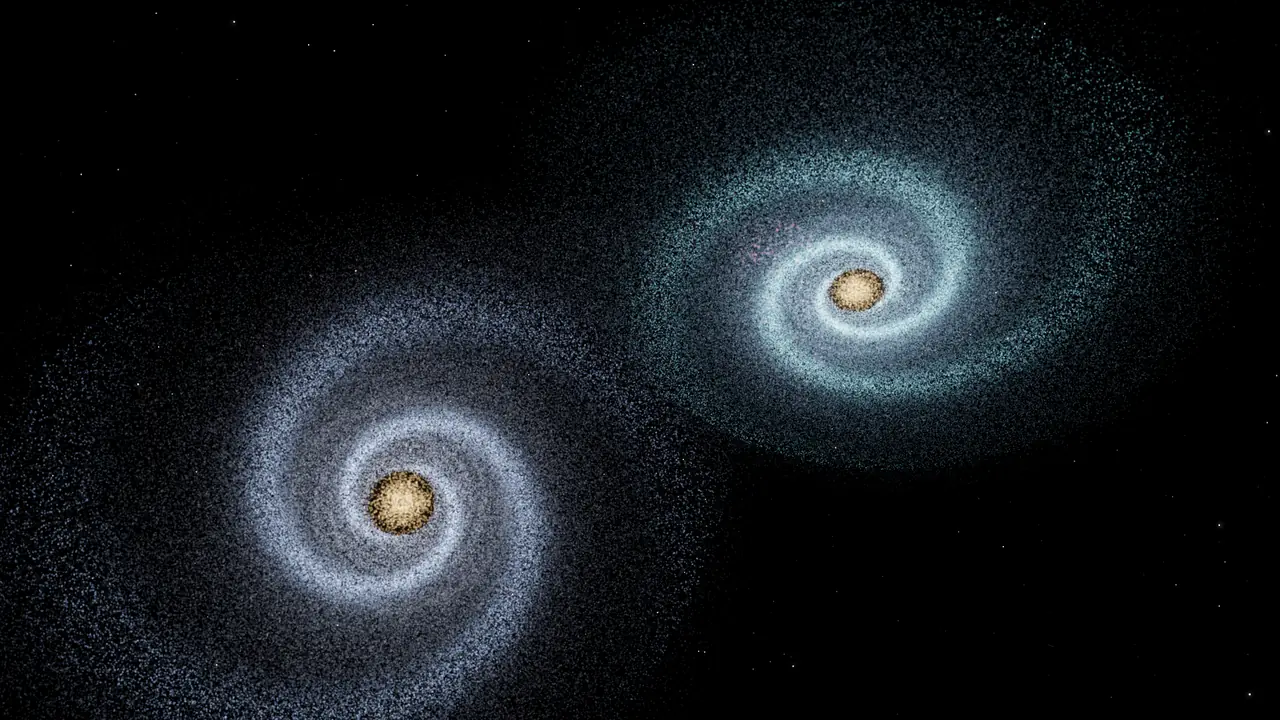
The best galaxy and black hole simulators are Universe Sandbox for a deep build-and-smash sandbox, SpaceEngine to fly through a full-scale universe, Gaia Sky for free real astronomical data, Celestia for a free 3D universe that also runs on Android, and Everdust for hands-on galaxy collisions, black holes and star birth, free in a browser or as an app.
I make Everdust, one of the options below, so read this with that in mind. I've tried to describe each program by what its own Steam page, website or store listing says, and to say plainly when another one is the better pick. Two of them are paid, two are free and open source, and Everdust is free with an optional upgrade. Store details were checked on October 25, 2026.
The short answer
- You want a deep sandbox where you build systems, collide planets and stars and change the physics: Universe Sandbox.
- You want to fly anywhere in a full-scale universe, black holes and galaxies included: SpaceEngine.
- You want real astronomical data, such as the Gaia star catalogs, for free: Gaia Sky.
- You want a free 3D space simulator that also has an Android app: Celestia.
- You want to see how galaxy collisions, black holes and star birth work, hands-on, free and without installing anything: Everdust's browser worlds, or the Everdust app.
These aren't the same kind of program. Universe Sandbox is a physics sandbox. SpaceEngine, Gaia Sky and Celestia let you travel through a model of the universe. Everdust is a set of ready-made live simulations you can play with.
Universe Sandbox
Universe Sandbox by Giant Army is a paid game on Steam for Windows and Mac. Its Steam page calls it "a realistic physics-based space simulator". It describes N-body gravity using Newtonian mechanics, collisions of planets and stars, building your own systems (with moons, rings, comets or a black hole), climate on planets, supernovas, light-warping black holes and procedurally generated galaxies. You can share simulations on Steam Workshop. Steam lists it as Early Access.
Pick it if you want to build things yourself and change the rules. It's a far deeper sandbox than anything else here.
SpaceEngine
SpaceEngine by Cosmographic Software is a paid program on Steam for Windows. Its Steam page describes "a 1:1 scale science-based Universe simulator" with billions of galaxies, nebulae, stars and planets, real catalog objects plus procedurally generated ones for regions not yet mapped. It lists light warping near black holes and neutron stars, with animated accretion disks and jets, time controls and a flight mode. It supports SteamVR and Oculus headsets, though the page says VR is still a work in progress. Steam lists it as Early Access, and the official site has more.
Pick it if you want to fly to a black hole in a distant galaxy and land on any planet on the way.
Gaia Sky
Gaia Sky is free and open source, for Windows, macOS and Linux, with VR support for OpenXR headsets. Its site describes a real-time 3D astronomy visualization platform built on scientific datasets, such as the Gaia DR1/2/3 star catalogs and SDSS galaxies. It's developed in the framework of ESA's Gaia mission at the Astronomisches Rechen-Institut, Heidelberg University.
Pick it if you want to explore real survey data, such as the Gaia catalogs, rather than a physics sandbox.
Celestia
Celestia describes itself as "a real-time space simulation that lets you experience our universe in three dimensions." It's free software under the GNU GPL, and its latest release on GitHub has downloads for Windows and macOS. There's also a Celestia app on Google Play, listed under the developer Linfeng Li, free with in-app purchases. That listing describes visiting objects from planets to star clusters and galaxies, from any point in space and time.
Pick it if you want a free 3D space simulator you can also carry on an Android phone.
Everdust
Everdust is the one I make. It isn't a sandbox where you build from scratch, and it isn't a map of the real universe. It's a set of ready-made worlds, each a live particle simulation, not a video, that you can turn, push and play with.
In your browser, free, no install. A few worlds run on this site, on WebGL 2:
- Galaxy Collision: two disk galaxies pass each other and pull out long tidal tails, then merge. It's the classic 1972 Toomre and Toomre experiment, where each star feels both galaxy cores rather than every other star.
- Black Hole Golf: shoot a probe past black holes whose gravity bends its path, with the sky behind each hole lensed into rings.
- The Sun Is Born: a solar system formation simulator, where a spinning cloud of gas collapses into a disk around a newborn star.
- Gravity simulator: a sandbox where you add stars and planets, set their masses and throw them into orbit.
- Three-Body Ink: a three-body problem simulator with three equal masses on the figure-eight orbit; grab one and throw it.
- Strange Attractors: a particle simulator, with 200,000 particles following real chaotic equations.
For how the app simulates the universe as a whole, from the Big Bang on, see Universe simulator: how Everdust builds the cosmos from particles.
In the app. On Google Play for Android phones and tablets, the galaxy collision moves up to about a million stars, each pulled by gravity, and black holes bend light. Narrated stories walk through ideas such as the life of a black hole, and every chapter is a live simulation. On Apple Vision Pro you can reach into the same worlds with your hands, collide galaxies in Galaxy Billiards and bend a ball round black holes in Black Hole Golf.
Everdust is free to download, with no ads. Every world is free. Everdust Plus, an optional in-app purchase on Google Play and on the App Store, unlocks the rest of the stories and game levels. On Mac, Everdust is a free download from everdust.ai (version 1.0.1; macOS 14 Sonoma or later, Apple silicon (M1 or later)); the Mac App Store version is in review.
Pick it if you want to see how galaxies merge and black holes bend light, and play with it, in a minute, in a browser or on your phone.
How to choose
Ask what you want to do:
- To build a solar system and smash it, use Universe Sandbox.
- To travel through a 3D universe, use SpaceEngine (Windows) or Celestia (free).
- To look at real star catalogs, use Gaia Sky.
- To get a feel for gravity in a few minutes, with no install, open everdust.ai/play.
The browser worlds cost nothing, so try one first. If it leaves you wanting to build your own, that's the sign to buy Universe Sandbox. For every platform's options, phones and Vision Pro included, see galaxy simulator apps (2026): every platform.
If you'd rather play with particles than watch them, turn any photo into living particles in your browser, free; you can stir them with your finger.
Questions people ask
Is Universe Sandbox free? No. Universe Sandbox is a paid game on Steam for Windows and Mac.
Is there a free galaxy collision simulator in the browser? Yes. Everdust's Galaxy Collision at everdust.ai/play/galaxy-collision is free, runs in a web browser and needs no install or account.
Is SpaceEngine on Mac? SpaceEngine's Steam page lists Windows only.
Which of these simulators are free? Gaia Sky and Celestia are free and open source, and Everdust is free to download, with an optional Everdust Plus on Google Play. Universe Sandbox and SpaceEngine are paid.
Questions? Ask on r/everdust, Everdust's subreddit, where I answer them.