For VJs and live visuals · Mac
Everdust Live
Real physics, on the beat, on every screen in the room.
Galaxies that collide, ferrofluid that spikes with the bass, a slime mould finding its way: Everdust’s live simulations, played from a control window built for the booth. MIDI, cues and BPM on the left hand; 4K on every projector.
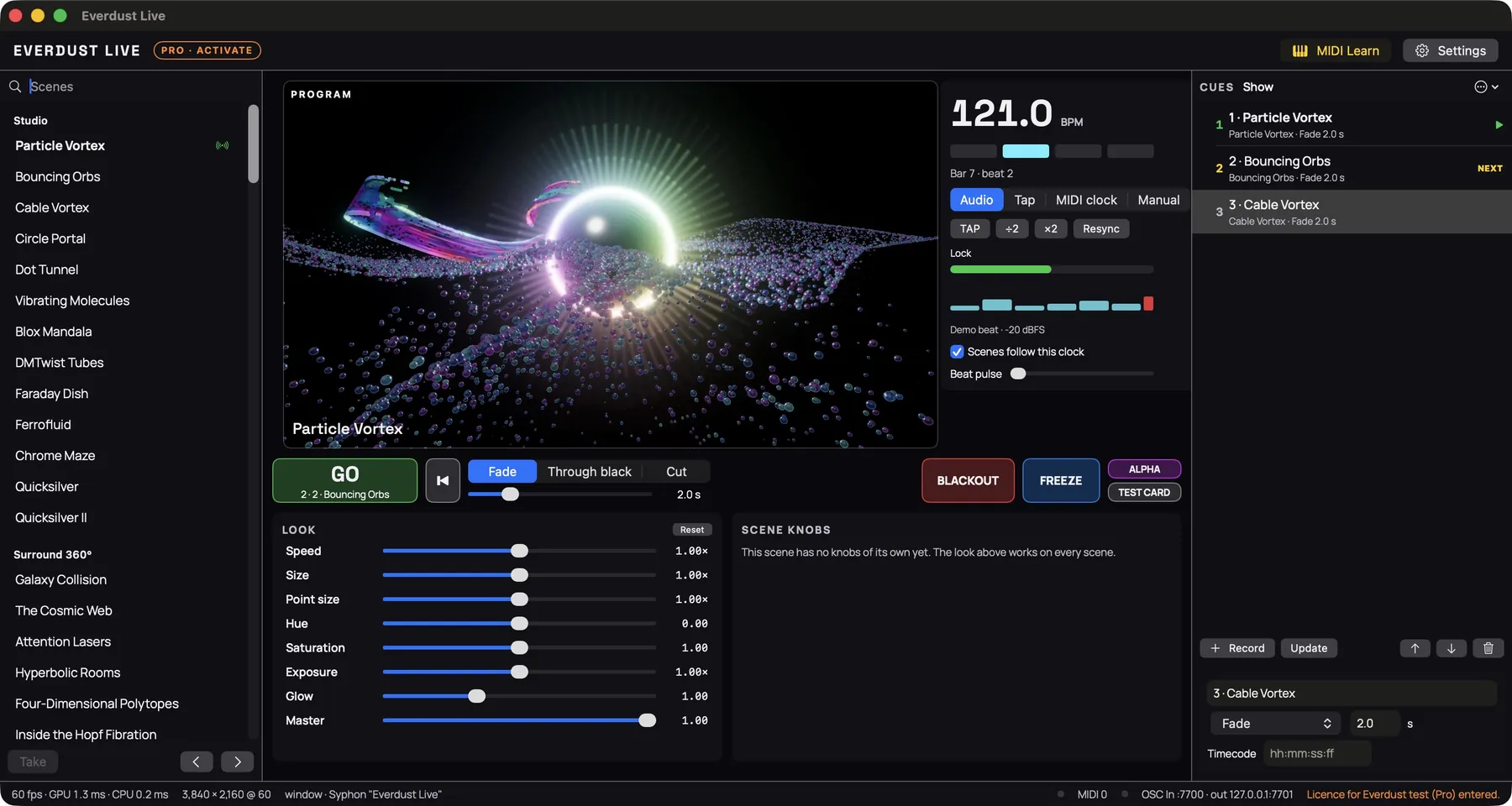
The control window, licensed Pro build, on a Mac. 60 fps, rendering 3840 × 2160.
- 4K at 60every scene, with headroom, on Apple silicon
- Under a frameMIDI to the frame that shows it: 9.8 ms median
- One renderevery display, Syphon and NDI® show the same picture
- $149 / $299once; updates for a year included
NDI® is a registered trademark of Vizrt NDI AB. ndi.video
What it does
A show, not a screensaver.
Every scene is a running simulation, not a video loop, so it never repeats and it moves with the music. Everdust Live adds the things a performance needs.
Every output, one render
- Fullscreen on any display: projectors, LED walls, TVs over HDMI
- 1080p, 1440p, 4K UHD or DCI 4K at up to 120 Hz
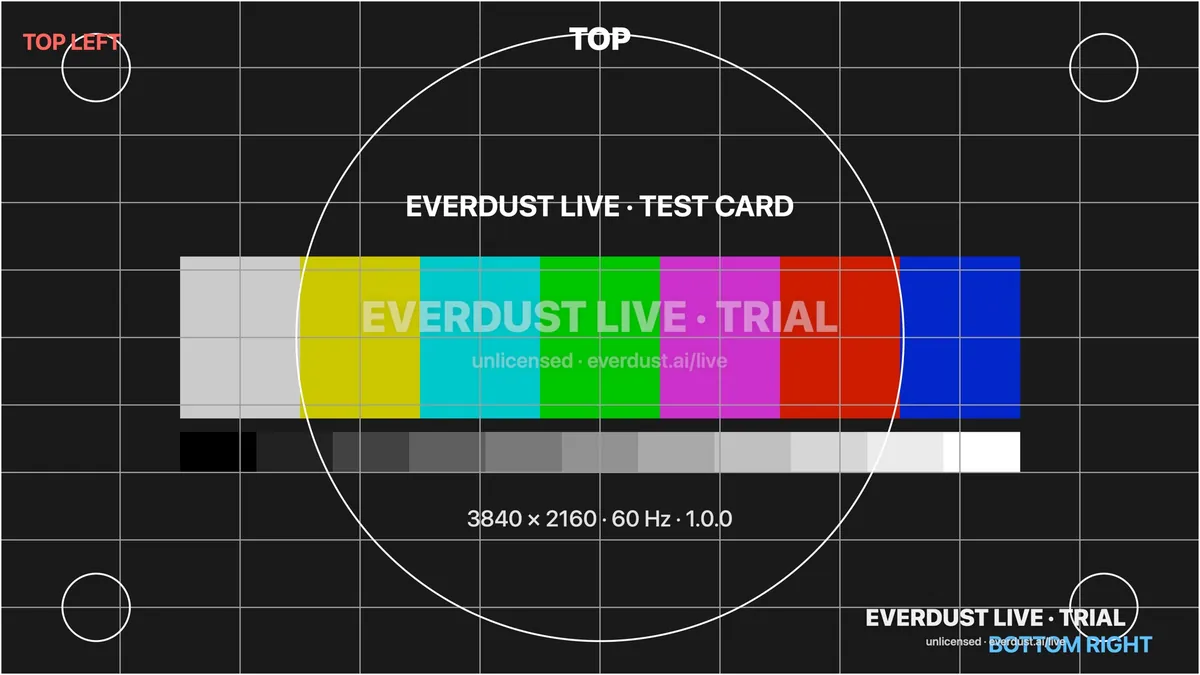
- Fit, fill or stretch; a test card for lining up
- Unplug a display mid-show and its output comes back when you plug it in
Played like an instrument
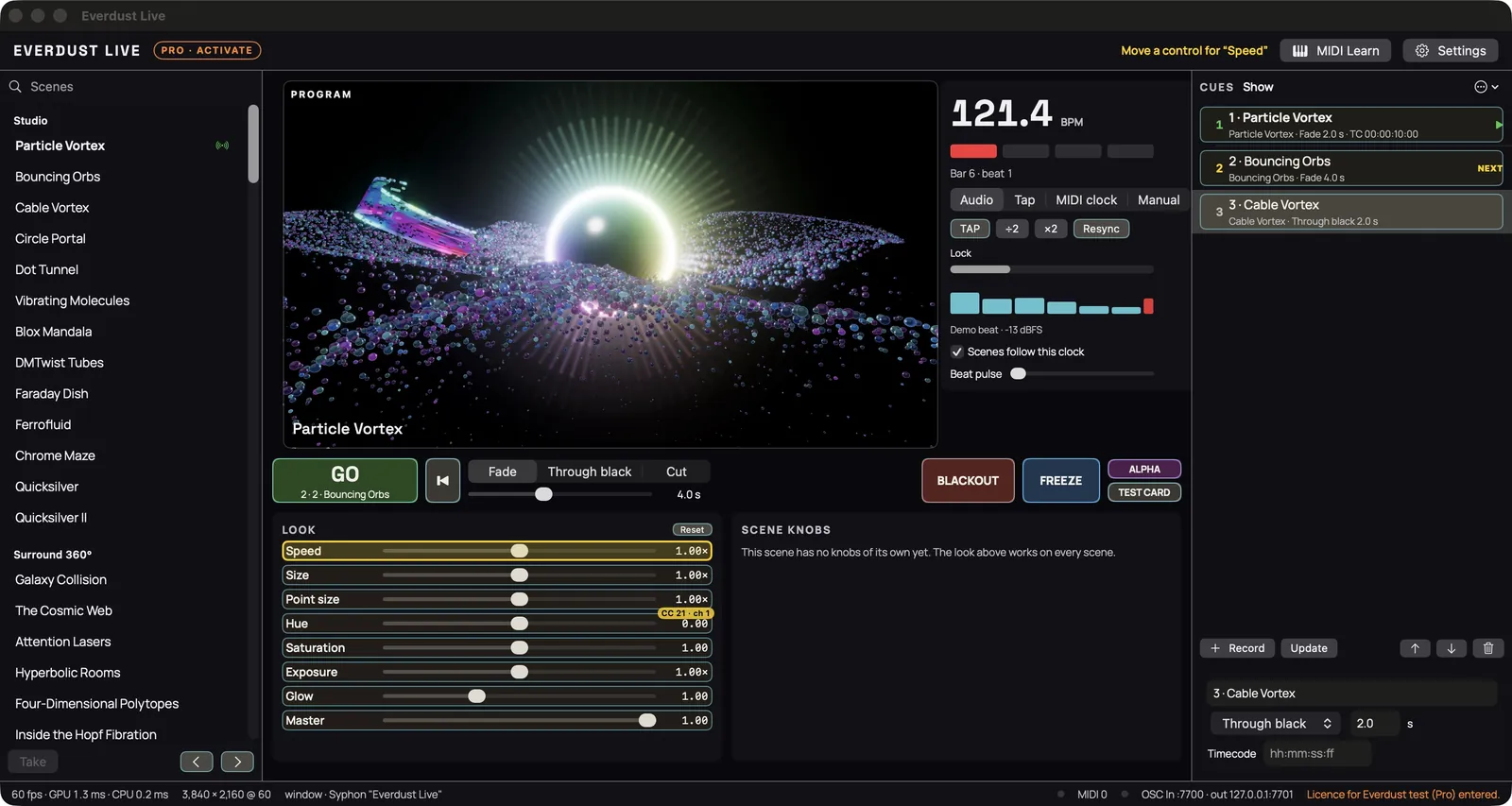
- MIDI learn on every fader, button, scene knob and cue
- BPM from the music, tap, MIDI clock or typed in
- Cue lists with fade, through-black and cut; GO on Space
- Blackout and freeze, one key each
Hears the room
- Any audio input: line in, an interface, the DJ mixer's feed
- Pick channels and gain per show
- Analysed on the Mac: never recorded, never sent
Syphon and NDI® outPro
- Publish the picture to other Mac apps over Syphon
- Send it over the network as an NDI® source, NDI High Bandwidth
- Alpha: a transparent background for compositing
OSC and timecodePro
- OSC in and out: cues, scenes, every look parameter, beat and level
- MIDI timecode fires cues at their times, in order
- Built for shows that run to a clock
For hirePro
- Client and commercial work: venues, tours, brand events, streams
- Two Macs: the show machine and the spare
- Everdust Plugin included, for your DAW
NDI® is a registered trademark of Vizrt NDI AB. ndi.video
Standard or Pro
Two licences, one app.
| Standard · $149 | Pro · $299 | |
|---|---|---|
| Macs | 1 | 2 |
| Every scene, plus new ones for 12 months | yes | yes |
| Fullscreen 4K, multi-display, test card | yes | yes |
| MIDI learn, BPM and tap, MIDI clock, cue lists | yes | yes |
| Syphon output | — | yes |
| NDI® output | — | yes |
| Alpha (transparent background) | — | yes |
| OSC in and out | — | yes |
| MIDI timecode | — | yes |
| Public performance at your own gigs | yes | yes |
| Client and commercial work | — | yes |
| Everdust Plugin (Audio Unit, VST®3, CLAP) | — | included |
| Creator credits (make your own scenes) | 10 | 30 |
| Updates | 12 months, then $49 a yearoptional: your version keeps working | 12 months, then $79 a yearoptional: your version keeps working |
| Founders (first 200) | $99 | $199 |
NDI® is a registered trademark of Vizrt NDI AB. ndi.video

Everdust Plugin, included with Pro, runs as an Audio Unit, VST3 or CLAP plugin in your DAW. VST is a registered trademark of Steinberg Media Technologies GmbH. Audio Unit is a trademark of Apple Inc.
Buy
Yours, once.
Pay once and keep it. A year of updates is included; after that you keep the version you have, or renew. Standard → Pro for the difference ($150, or $100 for founders) within your first year.
NDI® is a registered trademark of Vizrt NDI AB. ndi.video
Free trial
Every feature. A watermark.
The trial is the full app, Pro features included, with “Everdust Live · Trial” on the output. No time limit, no account. Buy a licence and paste the key: the watermark goes, nothing to reinstall.
System requirements
What you need.
- Mac
- Apple silicon (M1 or later). Intel Macs aren’t supported.
- macOS
- macOS 14 Sonoma or later
- 4K at 60
- Measured on an M3 Ultra with 10 ms or more to spare in every scene. On smaller Macs, render at 1080p or 1440p.
- Outputs
- Any display macOS sees: HDMI, DisplayPort, USB-C. Syphon and NDI® (Pro) over software.
- Control
- Any class-compliant MIDI controller; OSC (Pro) over UDP.
- Audio
- Any input macOS sees. A loopback device takes the DJ software’s output.
NDI® is a registered trademark of Vizrt NDI AB. ndi.video
Questions
Before you buy.
- Is it a subscription?
- No. You pay once. Updates for 12 months are included; after that you keep the version you have, forever, or renew for $49 (Standard) or $79 (Pro) a year.
- How does the licence work?
- You get a key by email. Paste it into Settings › Licence and press Activate. A key works straight away and needs activating online once; no internet at the venue after that.
- No internet on the show Mac?
- Use offline activation: the app shows a code, you paste it into this site on your phone, and paste the answer back.
- Two Macs, or a new Mac?
- Standard runs on 1 Mac, Pro on 2. Moving to a new Mac: deactivate the old one in the app or on your licence page, then activate the new one.
- Standard or Pro?
- Standard covers public performance at your own gigs. Pro adds client and commercial work (venues, tours, brand events, paid streams), Syphon, NDI®, alpha, OSC, timecode, a second Mac and Everdust Plugin.
- Can I upgrade later?
- Yes: Standard → Pro for the difference ($150) within a year of buying. Your key keeps its activation.
- What is NDI®?
- A way to send video over a local network to other software. Pro sends Everdust Live’s output as an NDI® source that NDI receivers on the network can pick up. About NDI technology. Free receivers: ndi.video/tools.
NDI® is a registered trademark of Vizrt NDI AB. ndi.video
- What is Syphon?
- An open-source way for Mac apps to share frames on the same Mac, with no copying. Pro publishes the output as a Syphon server for mapping, mixing and streaming apps.
- Tempo sync with my DAW?
- Everdust Live follows MIDI clock, including start and song position, from any DAW or drum machine. Or let it find the beat in the audio, or tap.
- Student or teacher pricing?
- Not at the moment. The founders’ price is the lowest it will be.
- Refunds?
- Within 14 days of purchase, reply to your receipt. Try the free trial first: it’s the whole app.
- Is it AI?
- No. Every frame is computed by physics simulations on your Mac’s GPU. Nothing is generated by a model. (Creator credits let you design new scenes in plain words; the scenes themselves are still simulations.)
Read the Everdust Live EULA (draft, under legal review). Already bought? Your licences.
NDI® is a registered trademark of Vizrt NDI AB. ndi.video