Best music visualizers for Mac (2026): an honest guide
Which music visualizer to pick on a Mac, and why the answer starts with where your music comes from. Apple's Music app has one built in, but it only sees Music; to see Spotify, a browser or a DJ app, a visualizer has to hear your Mac's own audio. What each one does, costs and listens to, from its own Mac App Store listing or website, by the maker of one of them.
The best music visualizer for a Mac depends on where your music comes from. Apple's Music app has a free visualizer built in, but it only shows what Music itself plays. To see Spotify, YouTube in a browser or a DJ app, pick one that hears your Mac's own audio: Phosphor Visualizer ($6.99) and Nyquist ($4.99) do that out of the box, Ferromagnetic (free to download) adds 4K recording and video outputs, and Everdust, which we make, turns whatever is playing into live galaxies, black holes and fluids, free. For classic MilkDrop presets there's projectM, and for live shows, Synesthesia, VDMX6 and Resolume.
We make Everdust, so read this with that in mind. Every other app is described from its own Mac App Store listing, website or Steam page, checked on November 28, 2026, and we say plainly where another app is the better pick. Prices are US prices on that day (several of the pro tools had Black Friday sales on), so check before you buy.
The short answer
- Zero setup, if you listen in Apple Music: the Music app's own visualizer (Window > Visualizer).
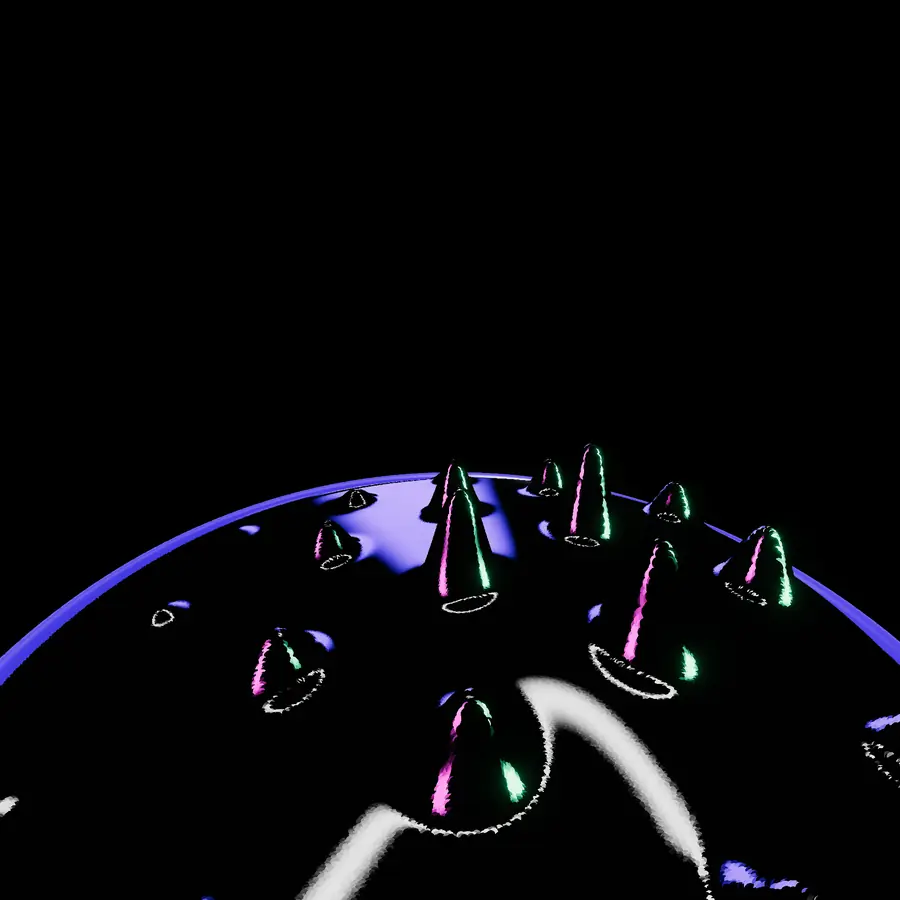
- Best free pick for whatever your Mac is playing, Spotify and headphones included: Everdust (we make it). Its worlds are live simulations, from colliding galaxies to ferrofluid that spikes with the bass, and every world and music source is free.
- A Mac-native visualizer for any app's audio, with recording up to 4K: Phosphor Visualizer.
- A cheap, retro spectrum analyzer that sits in the menu bar: Nyquist.
- Lots of features, from 4K recording to NDI and Syphon output: Ferromagnetic.
- Classic MilkDrop presets, free and open source: projectM, or Butterchurn in a Chrome tab.
- Visuals for a live show: Synesthesia for ready-made audio-reactive scenes; VDMX6 or Resolume for a full VJ setup.
First: why your visualizer may not see Spotify
A visualizer can only react to sound it can hear, and on a Mac there are three ways in:
- Its own player. The Music app's visualizer shows only what Music plays: your library, Apple Music or radio. It doesn't see Spotify or a browser.
- Your Mac's audio. macOS lets an app record your Mac's audio once you allow it, under System Settings > Privacy & Security > Screen & System Audio Recording, as Apple's Mac User Guide describes. Visualizers that do this hear any app, from Spotify to a browser to a DAW, even on headphones. Phosphor, Nyquist, Ferromagnetic, VDMX6 and Everdust say they hear other apps.
- An input. Others listen to a microphone or an audio interface. To feed them your Mac's own sound, you add a loopback app such as BlackHole or Loopback; Synesthesia's FAQ recommends exactly that on a Mac.
So check which way an app listens before you pay for it: it decides whether your playlist will work.
Music app visualizer
Music app visualizer by Apple is built into the Music app on every Mac. Play a song, then choose Window > Visualizer; Window > Visualizer Settings has its options, the ? key shows its controls and Esc turns it off, per Apple's Music User Guide. A song has to be playing first, and it only sees what Music itself plays. Free.
Pick it if you listen in Apple Music and want nothing to install.
Phosphor Visualizer
Phosphor Visualizer by Little Knife Labs LLC is made only for Mac. Its listing says it listens to the system audio, from Apple Music, Spotify, browsers, DJ apps or DAWs, through Core Audio's process tap, which is why it needs macOS 14.4 or later and Apple silicon. It has a library of scenes, from spectrum and oscilloscope to fractal and retro looks, an Autopilot mode, recording to MP4 or ProRes at up to 4K, and a live wallpaper mode. Its listing says no account, no telemetry and no analytics. It costs $6.99, and Phosphor Link, a $9.99 in-app purchase, sends it to Apple TVs.
Pick it if you want a modern, Mac-only visualizer that reacts to Spotify or Apple Music and records what it draws.
Nyquist: Retro Music Visualizer
Nyquist: Retro Music Visualizer by Christopher John Dillon captures system audio from any app, or listens through the microphone, and draws it as a retro spectrum analyzer. Its listing adds Now Playing details from Apple Music and Spotify, colors from the album art, up to 120 frames a second and a menu-bar viewer. It costs $4.99, with no in-app purchases, and needs macOS 15 or later (Apple silicon or Intel).
Pick it if you want a small, cheap spectrum analyzer that's always a click away.
Ferromagnetic
Ferromagnetic by Daniel Eke follows anything playing on your Mac through system audio capture, or plays from your Apple Music library, a microphone or a line input. Its listing describes 12-band analysis with beat detection, more than 20 effects, rendering up to 4K at 60 frames a second, H.264 and HEVC recording, and NDI and Syphon output to other video apps; its Producer tier adds two-deck mixing and MIDI Learn. It's free to download, with in-app purchases: FM Visualizer at $14.99 once or a $2.49 subscription, and FM Producer at $39.99 once or a $3.99 subscription. It needs macOS 13 or later.
Pick it if you want a feature-rich App Store visualizer, with room to grow into light VJ work.
projectM
projectM by the projectM team is an open source reimplementation of MilkDrop, the classic Winamp visualizer, with more than 1,000 presets included and many more online. It's free on Steam and open source under the LGPL. Its Steam page says it can use audio from any application, such as Spotify or Apple Music, or a microphone, and warns that on a Mac it "will take a bit more work" to get audio from other apps. It needs macOS 10.15.5 or later.
Pick it if you want MilkDrop's look for free and don't mind setting up the audio.
Butterchurn
Butterchurn is a WebGL version of MilkDrop, open source under the MIT license, and its free Chrome extension visualizes the audio playing in any browser tab. Nothing to install beyond the extension, and it runs wherever Chrome does.
Pick it if your music plays in a browser tab and you want MilkDrop without an app.
Everdust (we make this one)
Everdust by Decosa, Inc. turns your Mac into a particle universe simulator whose worlds move with the music. Every world is a live simulation, not a video: two galaxies colliding with up to about a million stars, black holes bending light, ferrofluid that spikes with the bass, a slime mold finding its way. Version 1.0.1 is on the Mac App Store.
- It hears whatever your Mac is playing. Its listing says it can listen to any app, from your music app to a video in your browser, even on headphones. Or play your own songs and folders, stream free Mixes from independent artists, or let it listen to the room. The sound is analyzed on your Mac and never recorded or sent.
- Made for the big screen. Go full screen, send a scene to a second display or a projector, or open the Stream window for live streaming and screen sharing. Screensaver mode fills the screen with calm scenes one after another, with a slow fade, from the View menu or by itself when Everdust is left idle, and Auto-advance moves from world to world on its own.
- More than visuals. Science stories in chapters, from the first light after the Big Bang to the last stars, where every chapter is a live simulation you can turn and explore.
It's free to download, with no ads. Every world and every music source is free, and so are all of The Story of Everything and the first chapters of every other Story. Everdust Plus, optional, unlocks every Story chapter: $4.99 a month, $29.99 a year (7-day free trial) or $79.99 once on the US App Store, and one purchase covers iPhone, iPad, Mac, Apple TV and Apple Vision Pro. It needs macOS 14 or later and a Mac with an Apple M1 chip or later. On Mac, Everdust is on the Mac App Store, free, or a free download from everdust.ai (macOS 14 Sonoma or later, Apple silicon (M1 or later)). If you play live and need MIDI mapping, clip mixing or projection mapping, VDMX6, Resolume or Synesthesia are built for that.
Pick it if you want any music on your Mac, Spotify included, to move living galaxies and fluids, for free.
For live shows
These are performance tools, priced and built for VJs rather than for watching at home.
Synesthesia
Synesthesia by Gravity Current runs audio-reactive scenes for live shows: 80 built-in scenes, MIDI and OSC control, importing scenes made by others (ISF), and Syphon, Spout and NDI output on Pro. It listens to an input device; its FAQ says Mac system audio capture can't be built in for now and recommends BlackHole, Sound Siphon or Loopback to route your Mac's sound in. A license is one purchase that never expires: Standard (one active device) lists at $199 and Pro (two) at $399, shown on sale at $99 and $249 when we checked. The free trial isn't time-limited but watermarks its output. It needs macOS 10.15 or later.
Pick it if you perform and want polished scenes you can play like an instrument.
VDMX6
VDMX6 by VIDVOX is Mac-only VJ software for layering video, effects and generators, with audio analysis and BPM detection and MIDI, OSC and DMX control. Its 6.2 update post says it can capture audio directly from other apps, such as Music, Spotify, Safari and DAWs, with no special drivers. $199, or $349 for VDMX6 Plus; the free demo works fully except for saving projects. It needs macOS 13 or later.
Pick it if you're a VJ on a Mac and want the deepest Mac-native tool.
Resolume Avenue and Arena
Resolume is VJ software for Mac and Windows: Avenue for live video mixing, Arena adding projection mapping and media-server features. Its audio-reactive effects follow an external audio input, such as a feed from a DJ or band, or the audio in its own clips. Avenue lists at €299 and Arena at €799 (on sale when we checked), each with a year of updates; it needs macOS 13.4 or later.
Pick it if you're mapping visuals onto a stage or building a show for a venue.
Also on the Mac App Store
- MuVis by Keith Bromley (free, open source): 27 visualizations of music files or the microphone.
Several other visualizers on the Mac App Store, such as Spectra and Chromophone, are iPad apps running on Apple silicon Macs, which play only files or listen through the microphone.
Side by side
| App | Price (US) | Hears other apps | Best for |
|---|---|---|---|
| Music app visualizer | Free, built in | No, Music only | Zero setup with Apple Music |
| Everdust | Free; Plus optional | Yes, and files, Mixes, the room | Galaxies, black holes and fluids that move with any music, free |
| Phosphor Visualizer | $6.99 | Yes | Mac-native scenes, 4K recording |
| Nyquist | $4.99 | Yes, or the mic | A retro analyzer in the menu bar |
| Ferromagnetic | Free; unlock $14.99 | Yes, or a mic or line in | Recording, NDI and Syphon |
| projectM | Free, open source | With extra setup | MilkDrop presets |
| Butterchurn | Free | A Chrome tab | MilkDrop in a browser |
| Synesthesia | $199 or $399 once | Via a loopback app | Live shows, ready-made scenes |
| VDMX6 | $199; Plus $349 | Yes | Pro VJ work on a Mac |
| Resolume Avenue / Arena | €299 / €799 | Via an input | VJ shows, projection mapping |
Synesthesia and Resolume were on sale when we checked.
How to choose
- If you only use Apple Music, try the built-in visualizer first. It costs nothing.
- If you use Spotify, a browser or a DJ app, pick one that hears your Mac's audio: Everdust for free, Phosphor or Nyquist for a few dollars, Ferromagnetic if you want to record or send video to other apps.
- If you love MilkDrop, projectM is free, and Butterchurn works in a Chrome tab.
- If you perform, start with Synesthesia's free trial, or VDMX6's demo if you're on a Mac for good.
On Apple Vision Pro instead? See music visualizer apps for Apple Vision Pro. For a space screen saver rather than a visualizer, there's a free space screen saver for Mac and Apple TV. And everdust.ai/play runs a few of Everdust's worlds in your browser, with a demo beat, before you install anything.
Questions people ask
What is the best free music visualizer for Mac? For Apple Music only, the Music app's own visualizer. For anything your Mac plays, Spotify and browser audio included, Everdust, which we make, is free to download, with every world and music source free and no ads. projectM is free and open source too, but takes more setup on a Mac to hear other apps, and Ferromagnetic is free to download with paid unlocks.
Does the Music app on Mac have a visualizer? Yes. Play a song, then choose Window > Visualizer. It only shows what the Music app itself plays, so it won't react to Spotify or a browser.
Is there a music visualizer for Spotify on Mac? Yes, any visualizer that hears your Mac's own audio. Phosphor Visualizer, Nyquist, Ferromagnetic, VDMX6 and Everdust say they can listen to other apps such as Spotify. Visualizers that use an input, such as Synesthesia, need a loopback app like BlackHole to hear it.
Will a Mac music visualizer work with headphones? One that hears your Mac's audio takes the sound before it reaches your speakers or headphones, so yes; Everdust's listing says it works even on headphones. A visualizer listening through the microphone needs the music playing out loud in the room.
Can a music visualizer run as a screen saver on Mac? Everdust has a Screensaver mode that fills the screen with calm scenes, by itself when Everdust is left idle, and Phosphor has a live wallpaper mode. For a screen saver in System Settings, see the free Everdust Screen Saver.
What do VJs use on a Mac? VDMX6 is Mac-only, Resolume runs on Mac and Windows, and Synesthesia makes ready-made audio-reactive scenes for both. Ferromagnetic's NDI and Syphon output can feed any of them.
Sources
- Each app's own page, linked in its section, checked November 28, 2026: the Mac App Store listings (price, in-app purchases, seller, minimum macOS and the features named), projectM's Steam page, Butterchurn's Chrome Web Store page and source, Synesthesia's pricing and audio FAQ, VIDVOX's VDMX 6.2 update post, Resolume's shop and tech specs.
- Apple: the Music User Guide on the visualizer and the Mac User Guide on screen and system audio recording.
- Everdust: Space Science Games on the Mac App Store (version 1.0.1, its Mac description and In-App Purchases), checked November 28, 2026.